// tools / maps corrector
Maps Corrector
Two names, put back where they belong.
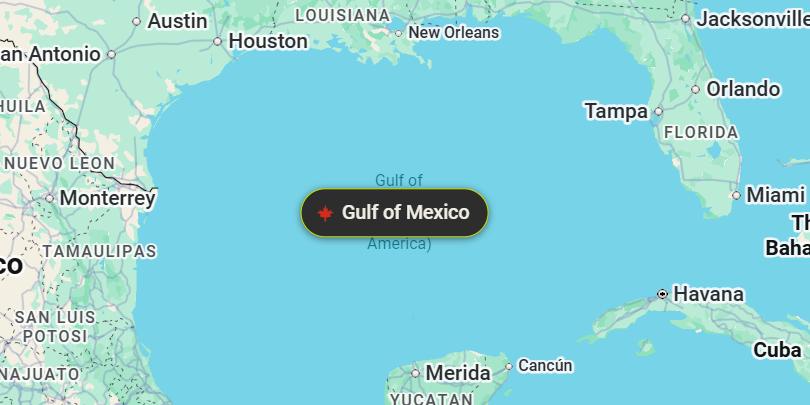
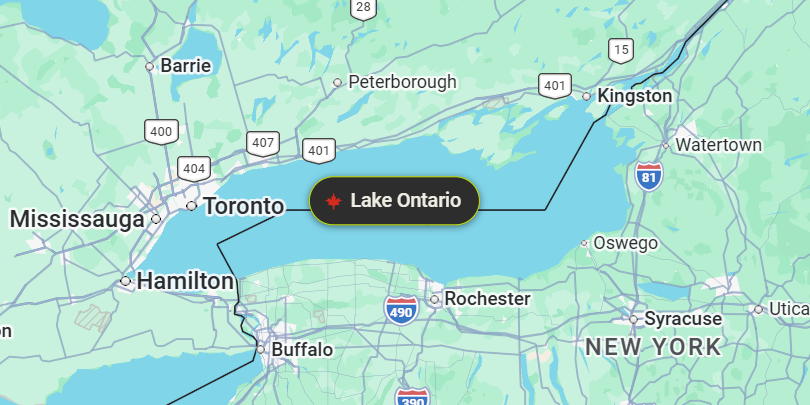
A Chrome extension that restores Gulf of Mexico and Lake Ontario on Google Maps — in the page text and on the map itself — with a red maple leaf on the label. Free, open source, and it touches nothing but Google Maps.
Prefer to read the source and load it yourself?
Download the zip,
unzip it, open chrome://extensions, turn on Developer mode and
click Load unpacked.
// on the map
How it works
Google Maps renders text two different ways, so the extension has to work two different ways.
Page text — search results, place titles, directions, the tab
title — is real DOM text. A MutationObserver rewrites it as it
appears. The dual-name forms collapse first, so you never end up with “Gulf of
Mexico (Gulf of Mexico)”, and matches are word-bounded, so Bank of America is
left alone.
Labels drawn on the map are not text at all. They are pixels in a WebGL canvas — nothing in the page can read them, find them, or edit them. So each corrected name is pinned to the geographic centre of its feature and projected onto the canvas using the camera Google keeps in the URL. The label is drawn at that screen position.